1.1 Start Here
A short guide to the main areas of Lodo and how the manual is organized.
This manual describes the main editing views, playback tracks, instrument types, components, and keyboard commands used in Lodo.
Main editing areas
Lodo is split into four main areas. The top row contains the arrange view on the left, the pattern view in the centre, and the instrument list on the right. The instrument rack spans the bottom of the interface.
Use Ctrl/Cmd + Shift + Arrow Keys to move focus between the main sections of the interface.
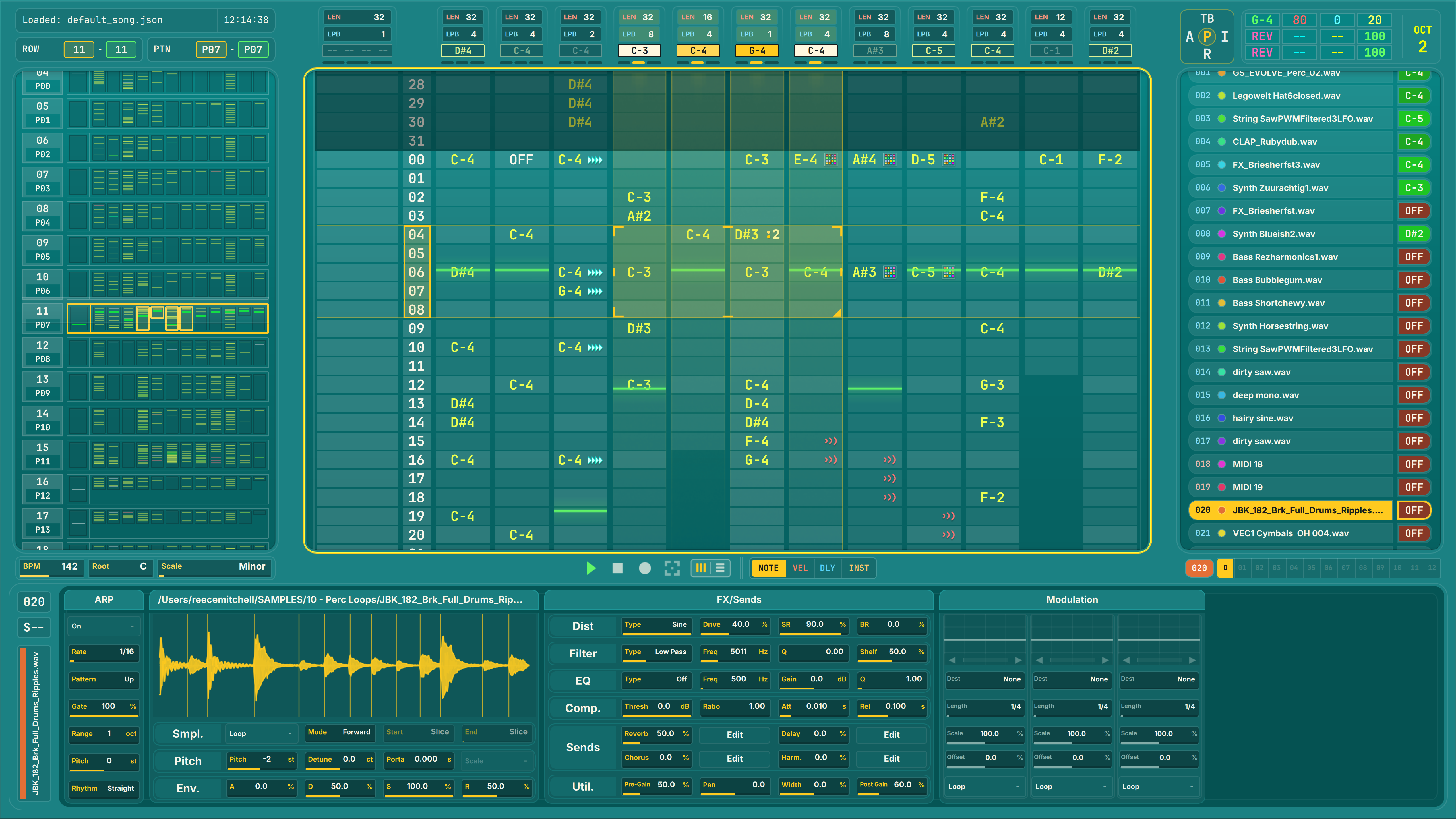
The main workspace: arrange view, pattern grid, instrument list, and instrument rack.
Suggested reading order
- Read Pattern Grid for note entry, edit modes, and grid movement.
- Read Track Grid for per-track editing and component slots.
- Read Components before using sequenced modulation or playback operations.
- Read Instruments for the differences between MIDI, sampler, synth, and plugin instruments.