Lodo gives you two ways to make a sound inside the instrument rack: host an external VST or AU instrument, or play one of the internal Mutable Instruments synth engines. Their relationship to playback tracks matters when you build chords or split a phrase across tracks.
Plugin instruments
An external VST or AU instrument runs in a plugin instrument slot. Lodo sends that slot MIDI note events and mixes the plugin's audio output into the song. Plugin instruments are sequenced from the Track Grid like other instruments; you can also use track components to shape their notes and automate controls exposed by the plugin.
Tracks, voices, and shared controls
Each loaded plugin slot has its own plugin instance. When several playback tracks send notes with the same plugin instrument number, their events reach that one instance. The plugin decides whether it is monophonic or polyphonic and how many voices it can play. Separate plugin slots have separate instances and settings.
The slot also owns one shared set of plugin state and automation values. If several tracks automate the same control on that slot, each write reaches the same value; the last event processed becomes the value the plugin receives for that render block. Give a shared control a clear owner, or coordinate the tracks deliberately, when you want its movement to stay predictable.
CHORD and OFFSET can send a plugin several note events from one step. With arpeggiation enabled, Lodo sends the voicing one note at a time instead. See Components for the voicing and arpeggiator workflow.
Synth instruments
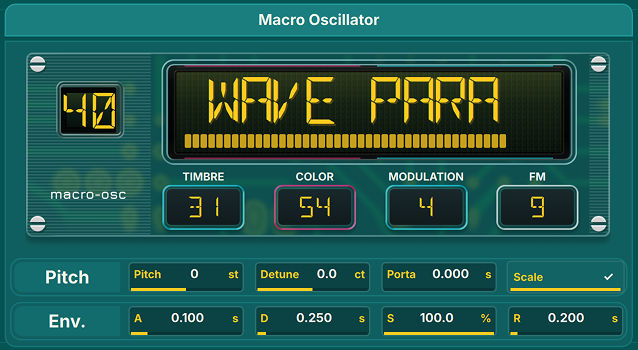
Lodo includes two internal synth instruments based on the open-source Mutable Instruments Braids and Plaits engines by Emilie Gillet. Each playback track has its own synth controller and plays one current pitch at a time. To play a sustained chord with an internal synth, put its notes on separate tracks and set each note event's Instrument number to the same slot. For a moving single-track figure, use CHORD or OFFSET with ARP; see Components.
Macro Oscillator (Braids)
Macro Oscillator II (Plaits)
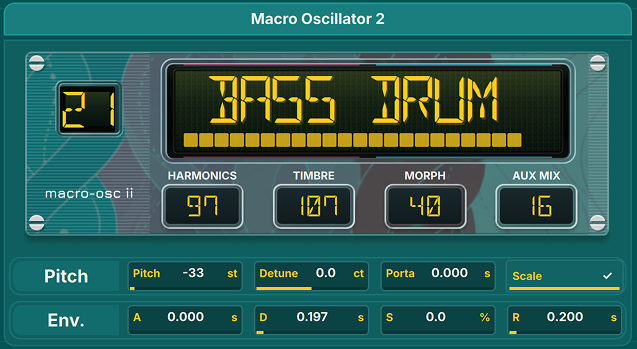
The engines cover percussive and oscillator models, physical modelling, noise sources, and other synthesis modes. Their model and synthesis controls are sequenced with instrument components; the available components depend on the selected engine. See Components for how those changes interact with notes and arpeggiation.